
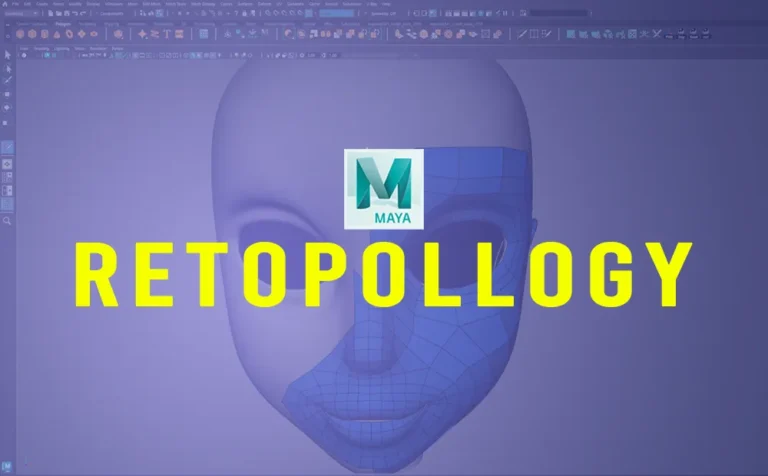
Retopology is a crucial process in 3D modeling, especially for 3D game assets, animation, and VFX. Maya offers an array of tools and workflows that significantly streamline the retopology process. In this article, we will explore some effective tricks to achieve clean and optimized topology.
1. Using the Remesh and Retopologize Tool:
Maya 2023 introduces enhancements to the Remesh and Retopologize tools, making them more efficient than ever. Here’s how to use them effectively:
- Select your high-poly mesh and navigate to Mesh > Remesh to create an even triangulated surface.
- Then, use Mesh > Retopologize to convert the mesh into a clean quad-based topology.
- Adjust the Target Face Count and Hard Edge Preservation settings to control edge flow and polycount.
2. Quad Draw for Manual Retopology:
When automated methods don’t provide the desired results, the Quad Draw tool (under the Modeling Toolkit) is an excellent choice:
- Create a live surface by selecting the high-poly mesh and clicking Make Live.
- Use Quad Draw to manually place points and create polygons, ensuring optimal edge loops for animation and deformation.
- Hold Shift to relax topology and optimize edge spacing.
Read more about this method from an older post “Retopology Cartoon Head in Maya (Quad Draw Tool)”.
3. Optimizing Edge Loops for Animation:
For animated character models, ensure:
- Circular edge loops around eyes, mouth, and joints for better deformations.
- Evenly spaced polygons to avoid stretching or pinching during animation.
- A denser topology in areas that require more detail and flexibility.
4. Reducing Polycount with the Reduce Tool:
If a model is too dense, use Mesh > Reduce:
- Use Preserve Hard Edges to keep sharp corners intact.
- Adjust the Reduction Percentage while maintaining shape fidelity.
5. Exporting for Game Engines:
When finalizing a retopologized mesh for game engines like Unreal or Unity:
- Ensure proper Normal and Tangent Space settings.
- Use Mesh Cleanup to detect non-manifold geometry or floating vertices.
- Export as FBX with optimized UVs and textures.
6. Bonus Tip (Using Zbrush):
Retopology in Zbrush, can make the process simple and fast. By using the topology brush in Zbrush, you can draw lines and that lines will determinate your new topology.
Eventhough this approach is not extremely accurate, it’s gives fantastic starting point results.
Read more about this method from an older article “Retopology Cartoon Head in Zbrush (Topology Brush)”.
Conclusion:
Maya enhanced retopology tools offer a robust workflow for creating clean, optimized topology. Whether you prefer automated solutions like Retopologize, manual control with Quad Draw, or a hybrid approach, these tricks will help streamline your modeling pipeline.
Mastering retopology is essential for any 3D artist aiming to create high-quality assets for games, animation, or VFX. With these Maya tricks, you can ensure your models are both efficient and production-ready.



37 Responses
Why go for MP3 conversion? It’s a total lifesaver! You can listen offline anywhere—no internet, no problem. It saves your data since MP3s are way lighter than streaming videos. Plus, you can whip up custom playlists for workouts, study sessions, or road trips. Just imagine turning a motivational speech or a chill lo-fi track into a file you can play anytime. But here’s the deal: keep it legit by only converting content with the creator’s permission or stuff labeled free, like Creative Commons, and support artists by buying their work when you can!
https://youtubemp3.blog/
https://youtubemp3.blog/
Why go for MP3 conversion? It’s a total lifesaver! You can listen offline anywhere—no internet, no problem. It saves your data since MP3s are way lighter than streaming videos. Plus, you can whip up custom playlists for workouts, study sessions, or road trips.
https://youtubemp3.blog/
Great guide on Maya retopology! The Quad Draw tip is super helpful for clean topology. Really useful for my 3D workflow. Thanks!
Great tips! The Quad Draw method sounds super helpful for clean topology. Using ZBrush too is a cool quick alternative. Really useful insights for improving my 3D workflow!
嘿,博主!这期关于Maya retopology的文章简直太及时了!Quad Draw和Zbrush拓扑笔的介绍特别有用,感觉一下子就清晰了。不过我对Reduce Tool的Preserve Hard Edges选项有点好奇,具体在哪些场景下效果最好?还有 exporting part,提到Normal和Tangent Space,但没细说怎么调,有点小困惑。期待未来能有更深入的分享,比如不同模型类型的拓扑策略!继续加油,你的教程超棒的!
Wow, Maya’s new tools sound super handy! I remember when I wrestled with retopology—it was a whole process! Using the Remesh tool really helped me clean up my models without much fuss. Can’t wait to give these tricks a try!
Wow, this is like a mini-masterclass on retopology! I totally vibe with the quad draw tool—it’s such a lifesaver for clean topology. Just remember to chill out a bit while doing it, or you’ll end up overdoing it. 😅
Oh man, I love using the Remesh tool! It really saves me time when I’m working on a high-poly model. Just wish it was a bit more user-friendly, you know?
Quad Draw is a lifesaver! I spent ages trying to get a clean topology before I found it. It’s like magic how easy it is once you get the hang of it.
Those edge loop tips are super helpful. I’ve been wondering how to avoid weird deformations around the joints in my character models.
Haha, I always forget to check for floating vertices! That cleanup step is essential, otherwise it can mess up your exports.
Using Zbrush for retopology sounds legit. I appreciate the thought of drawing your lines; I might give that a shot soon!
Wow, this is a goldmine of info! I’ve been struggling with retopology in Maya, and this just made everything feel way less daunting. Can’t wait to try out that Quad Draw tip, it’s always been a bit of a mystery to me! Thanks for sharing!
Haha, this Maya retopology guide is like a lifesaver but for polygon counts, not data usage! 😂 The Quad Draw tool sounds amazing – finally a way to topology without turning my models into rubber ducks. And ZBrush? Now I have another excuse to download more software (and coffee!). The Preserve Hard Edges tip is gold, perfect for when my characters jawline is clearly defined and says, Dont mess with me! Just a quick note: maybe add a warning for beginners – using Retopologize might result in perfectly smooth, featureless avatars. Great work, though! Now I can blame the tools if my topology still looks like spaghetti. Keep em coming!
Undead Corridor — Tight hallways, louder heartbeats. Clear wave after wave in claustrophobic arenas, using smart kiting, ammo discipline, and on-the-fly upgrades to keep the horde at bay. Learn spawn timings, hold angles, and rotate between choke points to survive longer each attempt. Challenge: 10 waves without going down—share the board.
Undead Corridor — Tight hallways, louder heartbeats. Clear wave after wave in claustrophobic arenas, using smart kiting, ammo discipline, and on-the-fly upgrades to keep the horde at bay. Learn spawn timings, hold angles, and rotate between choke points to survive longer each attempt. Challenge: 10 waves without going down—share the board.
Undead Corridor — Tight hallways, louder heartbeats. Clear wave after wave in claustrophobic arenas, using smart kiting, ammo discipline, and on-the-fly upgrades to keep the horde at bay. Learn spawn timings, hold angles, and rotate between choke points to survive longer each attempt. Challenge: 10 waves without going down—share the board.
Undead Corridor — Tight hallways, louder heartbeats. Clear wave after wave in claustrophobic arenas, using smart kiting, ammo discipline, and on-the-fly upgrades to keep the horde at bay. Learn spawn timings, hold angles, and rotate between choke points to survive longer each attempt. Challenge: 10 waves without going down—share the board.
The updates to the Remesh and Retopologize tools in Maya really save hours compared to manual Quad Draw, especially when prepping high-poly sculpts for game engines. I often look for quick breakdown clips from other 3D artists, and being able to view tiktok stories for fast modeling tips without needing an account makes gathering references much easier. Thanks for sharing these clear topology workflows!
Great breakdown of the Remesh and Retopologize tools in Maya. Maintaining clean edge flow really saves time before rigging and animation. Whenever I reference workflow tips shared by character artists across professional networks, using a tool to check exact post timestamps helps me keep chronological notes on newer software updates. Thanks for sharing these practical modeling tricks!
The article’s point about demagnetization from physical shock makes sense, but for content creators, the real friction is often visual consistency. Using faceless reels solved that for me by keeping the same aesthetic across AI clips, which saved hours of reshoots. It’s a practical workaround when your “magnet” is your message, not your face.
Community spaces thrive on teamwork and shared problem-solving, much like coordinating a crew under pressure. For anyone who enjoys that kind of chaotic collaboration, the dear passengers game captures it perfectly. It’s a fun reminder that patience and communication matter, whether in a community centre or a virtual cabin.
Faux plants look great, but when I design porch displays digitally, I always need to tweak the 3D models first. Converting files is surprisingly handy for that, like using an easy 3mf to stl workflow to prep them for printing. Keeps everything in-browser too. Nice list here for inspiration!
Geometry Dash’s rhythm-based levels actually train your sense of timing, which can carry over to music. If you want to see how that timing translates to vocals, you can Rate my singing after recording a quick clip. It checks pitch and gives useful feedback without needing any signup.
As someone who manages gluten sensitivities while traveling, I appreciate restaurant lists like this. It reminds me of how creative dining has become. On a lighter note, fans of quirky word games might enjoy the jeff goldblum wordle as a fun daily brain break between meals. Thanks for the useful recommendations!
Interesting transfer target, but before Arsenal commit to another young star, fans should check their screens for hidden flaws. Dead pixels on a new laptop or TV can be annoying during match replays. A quick fullblackscreen test helps spot defects before they become a headache. Smart move for any supporter.
The automated Remesh and Retopologize tools in recent Maya releases really help cut down on the initial manual layout time. Getting clean edge flow around high-deformation areas still takes a lot of repetitive focus, though, so having soothing background audio playing from aiasmr can make those long Quad Draw sessions much more manageable. Thanks for breaking down the workflow so clearly!
Adelina RLA’s consistency really stands out, especially considering how much precision and timing matter at that level of competition. It reminds me of the focus needed in aim training, where small reaction-time gains decide everything. I’ve been using the okiaimx game to sharpen peek timing and first-shot accuracy, and it translates well.
A practical teaching suggestion is to pair automated and manual retopology in one exercise: first apply Remesh and Retopologize to a high-poly head, then have students refine the result with Quad Draw on a live surface. Ask them to compare edge flow around eyes and mouth, adjust Target Face Count, and check non-manifold geometry before export. This helps students understand when automation works and when manual loops are needed for animation.
Related resource: https://loottoforge.org/
A practical teaching suggestion is to pair each automated tool with a manual verification step. After using Remesh or Retopologize, have students inspect edge flow around joints, eyes, and mouths, then correct problem areas with Quad Draw. Require them to compare polycount and deformation quality before and after using Reduce, and to run Mesh Cleanup before export. This sequence helps learners understand when automation suffices and when manual retopology is necessary, while reinforcing clean topology standards for animation and game engines.
Related resource: https://worksheetgenerator.org/
A practical teaching suggestion is to pair automated and manual retopology in a single exercise: first apply Remesh and Retopologize to a high-poly head, then switch to Quad Draw on a live surface to rebuild edge loops around the eyes and mouth. Ask students to compare polycount, edge flow, and deformation quality before and after, and to document which areas automated tools handled well versus where manual loops were necessary. This builds judgment about when each method is appropriate.
Related resource: https://stealanegg.net/
A practical teaching suggestion is to pair each automated tool with a manual verification step. After using Remesh or Retopologize, have students inspect edge flow around eyes, mouth, and joints, then rebuild problem areas with Quad Draw. Require them to compare polycount and deformation quality before and after, and run Mesh Cleanup before export. This builds judgment about when automation suffices and when manual retopology is needed, reinforcing the article’s emphasis on clean, animation-ready topology.
Related resource: https://collagemaker.org/
A practical teaching suggestion is to pair automated and manual retopology in one exercise: have students run Remesh then Retopologize on a high-poly head, then switch to Quad Draw to fix edge loops around the eyes and mouth. Require them to compare polycount, edge flow, and deformation quality before and after manual edits. This makes the trade-offs between speed and control concrete, and reinforces why animation-friendly loops matter more than simply lowering face count.
Related resource: https://opus5video.com/
A practical teaching suggestion is to pair automated and manual retopology in one exercise: first apply Remesh and Retopologize to a high-poly head, then have students refine the result with Quad Draw on a live surface. Ask them to compare edge flow around the eyes and mouth, adjust Target Face Count, and check the mesh with Mesh Cleanup before export. This helps students see how automated tools provide a base while manual adjustments control deformation-ready topology.
Related resource: https://animebreaker.org/
A practical teaching suggestion: demonstrate the Remesh-to-Retopologize workflow on a simple high-poly object, then compare its output with a manual Quad Draw pass. Have students adjust Target Face Count and Hard Edge Preservation, then inspect edge loops around joints and eyes. Ask them to identify where automated topology fails and where manual loops improve deformation. Finish by running Mesh Cleanup and exporting an FBX, so learners connect retopology decisions to game-engine requirements and polycount budgets.
Related resource: https://slayer2.org/
Black hat SEO may promise quick wins, but risky link schemes can tank a site fast. I prefer safer content tools for steady growth. For example, I use video to frames online free to pull stills from clips for blog images, which keeps posts original without sketchy tactics.